
Validate metadata
To validate your Excel metadata file, upload it at https://fairds.fairbydesign.nl/validate. The system checks the file for any inconsistencies.
Validation options
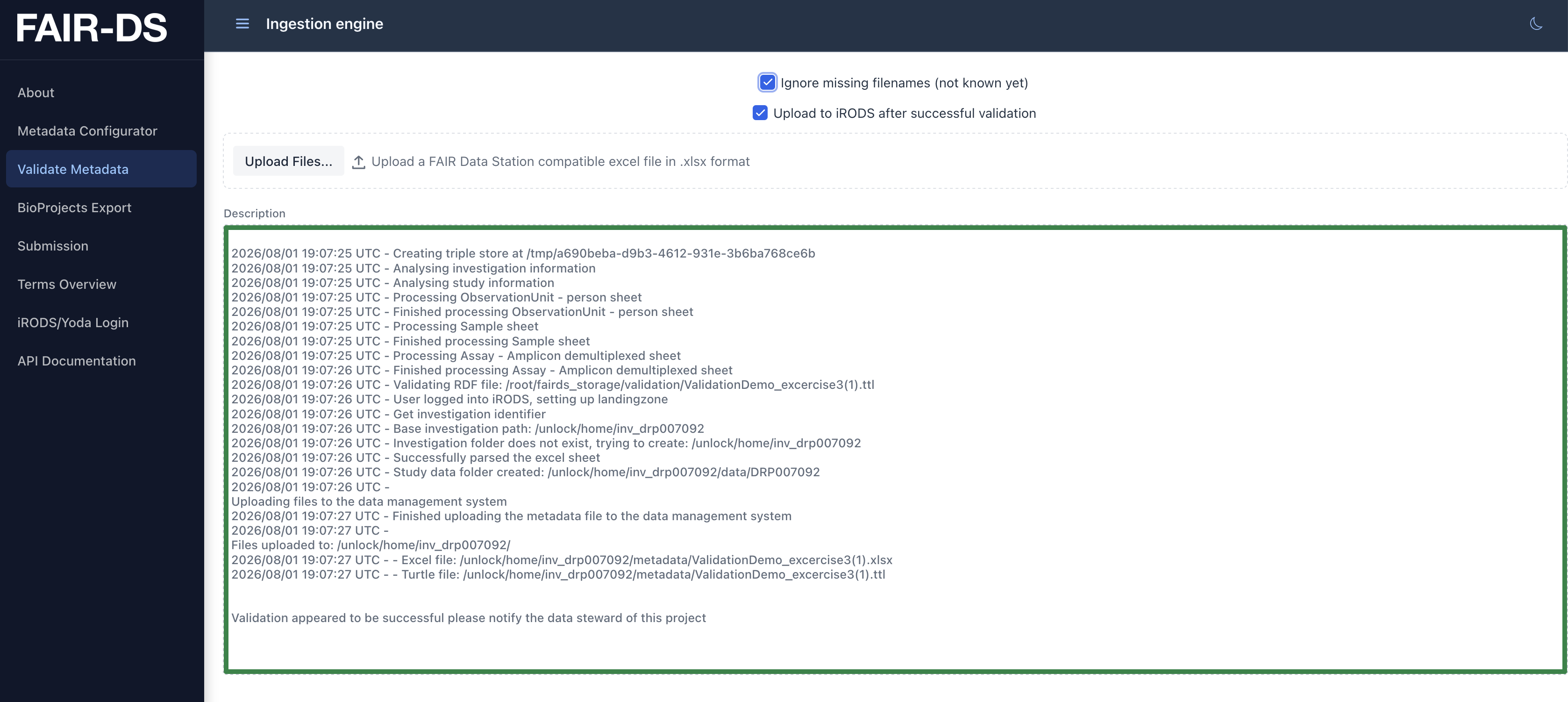
Section titled “Validation options”Before uploading, two checkboxes let you control how validation behaves:
- Ignore missing filenames – tick this if you are still working on your metadata and don’t yet know the filenames for an assay. Missing filename values are then skipped instead of failing validation, but the
Download RDFbutton will not appear until the filenames are filled in and this option is unticked. - Upload to iRODS after successful validation – only shown when you are logged in. Ticked by default, so a successful validation is automatically pushed to iRODS. Untick it to validate without uploading; the
Download RDFbutton then becomes available so you can inspect the resulting RDF file first.
Validation report
Section titled “Validation report”During validation, the metadata file is checked structural and semantic inconsistencies. After validation, a report summarizing the validation process is displayed.
Such a summary can look like this:
Analysing investigation informationAnalysing study informationAnalyzing observation unit sheetFinished processing Sample - miscellaneous natural sheetProcessing Assay - Illumina sheetFinished parsing Assay - Illumina sheetProcessing Assay - Amplicon demultiplexed sheetFinished parsing Assay - Amplicon demultiplexed sheetFound Lat long values to convert to the GeoSPARQL format.Validating RDF fileRDF file passed validationValidation appeared to be successful.Validation errors
Section titled “Validation errors”However if the validation was unsuccessful you will see a summary of the validation process and an error message.
Such a summary can look like this:
=================================================================
Your dataset did not pass the validation...
When it is unclear please provide the following message to your data steward
Analysing investigation informationAnalysing study informationAnalyzing observation unit sheetThe value "malee" of "sex" in the "ObservationUnit" sheet does not match the pattern of (../female|hermaphrodite|male|neuter|not applicable|not collected|not provided|other|restricted access) regex (../female|hermaphrodite|male|neuter|not applicable|not collected|not provided|other|restricted access) such as in ex.getTerm()ample "female"
Please validate your mappings in the excel file
=================================================================
Please check the error message carefully and see if you can identify the problem yourself. In this case The value "malee" of "sex" in the "ObservationUnit" sheet does not match the pattern of (../female|hermaphrodite|male|neuter|not applicable|not collected|not provided|other|restricted access), which means that the value malee is not a valid value for the sex column in the ObservationUnit sheet.
To correct this you can change the value to one of the valid values, in this case to male. If the issue remains unclear, contact us and include the error message. When no new errors are found your metadata file will pass the validation.
Download RDF
Section titled “Download RDF”When validation succeeds, the Excel file is converted to an RDF file. The Download RDF button becomes available when you are not logged in, or when you are logged in but the Upload to iRODS after successful validation checkbox is unticked. RDF files can be saved in a Triple Stores, where they can be used to query the data and to integrate with other applications.